
Editor's Review
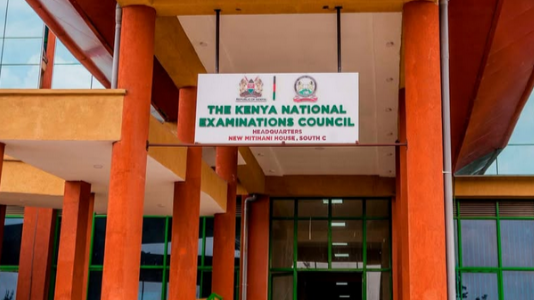
KNEC has issued a notice to candidates wishing to repeat the Kenya Certificate of Secondary Education (KCSE) examination.
The Kenya National Examinations Council (KNEC) has issued a notice to candidates wishing to repeat the Kenya Certificate of Secondary Education (KCSE) examination.
In a notice on Friday, March 6, KNEC informed Kenyans that individuals who previously sat the KCSE examination can register again either as full repeaters or partial repeaters.
According to the council, candidates registering as full repeaters must enroll for seven or more subjects.
Those who meet this threshold will receive a mean grade and an official KCSE certificate after completing the examination.
On the other hand, candidates choosing to register as partial repeaters will take fewer than seven subjects.
Read More
These candidates will not receive a full certificate but will instead be issued with a results slip indicating the grades obtained in the specific subjects they retook.
KNEC further clarified that repeat candidates are not allowed to introduce new subjects that they did not sit in their previous KCSE attempt.
This means repeaters must only register for subjects they had previously taken during their last examination sitting.
For those interested in repeating the examination, KNEC has directed candidates to visit the nearest Sub-County Director of Education (SCDE) office where they will be assisted to register as private candidates.
The council also announced that the examination registration fee for all repeaters is Ksh7,200.

Candidates are required to pay the fee directly to KNEC through the government’s online platform, eCitizen.
KNEC emphasized that the deadline for registration for the 2026 KCSE examination is March 31, 2026, warning that no extension will be granted after the closing date.
This comes two days after KNEC provided step-by-step guidelines on how to initiate and accept transfer requests for learners on the Competency-Based Assessment (CPA) portal.
In a notice published on Thursday, March 5, KNEC explained that learner transfer can only be initiated by the Head of Institution (HoI) to which the learner has transferred.
After the request is initiated, it must be confirmed by the HoI of the institution from which the learner originates.
The transfer process is entirely online through the portal and is available for both KPSEA and KJSEA pupils.
KNEC's clarification came amid questions by parents who experienced challenges when attempting to make the transfers.
How to make a 'learner transfer' request
1. Log in as the Head of Institution that the learner is transferring to.
2. Select the learner's grade.
3. In the 'Learner Transfer Section' beneath the 'Assessment Number' label, click the textbox for the Assessment Number.
4. Enter the assessment number of the transferring learner and click on the 'Search' button.
5. The learner's details will be displayed in the search result window, and the 'Submit Transfer' button will have a deep green background.
6. Click the 'Submit Transfer' button to complete the request process.
7. When successful, the number of 'Pending' transfers in the 'Learner Transfer' statistics section is increased by one. The name of the learner's previous school and HoI number will also be displayed.
How to accept a 'learner transfer' request
1. Log in as the Head of Institution that the learner is transferring from.
2. Select the learner's guide
3. Select the 'Transfer' menu.
4. Click the 'Pending' button under the Learner Transfer Management. A table with all the learner transfer requests from your school will be shown.
5. This table will give you the controls to accept the transfer request under 'Action' and complete the learner transfer process.



 (1)-1792314340-md.jpg)




 (1)-1792314340-sm.jpg)